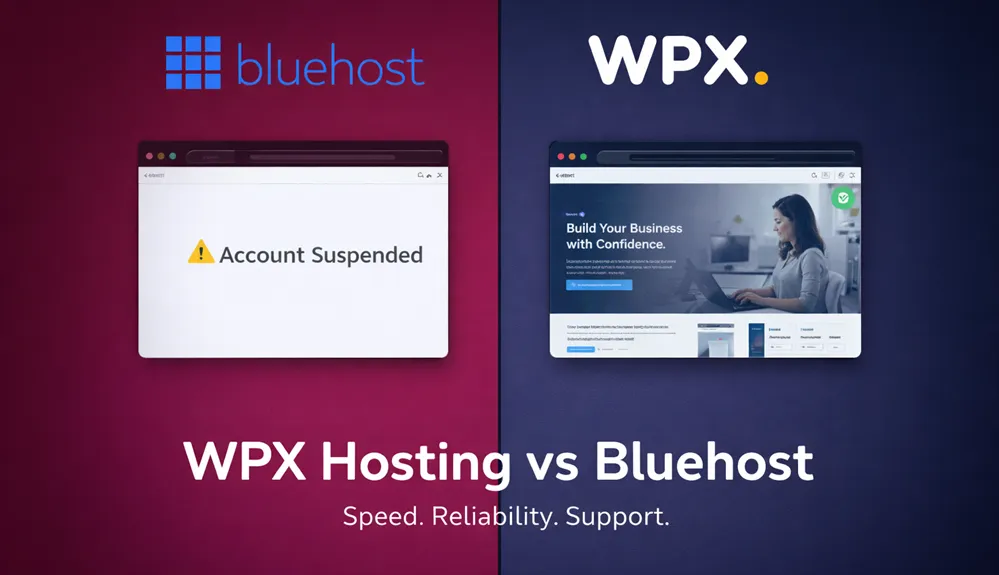
Last night I was browsing a few local sites, just checking things out, and one of them wasn’t loading. Instead of the homepage, I got a suspension notice. I also noticed that it was hosted on Bluehost.
I don’t know exactly why that site got suspended. It could be any number of things. But it hit close to home because the same thing happened to me when I was hosting with Bluehost.
My site got suspended because it was getting too much traffic. Too much engagement.
Let that sink in. My site was growing, people were actually showing up, and my host treated that like a problem.
That’s what pushed me to leave, and it’s what prompted me to write this WPX Hosting vs. Bluehost comparison today.
I’ve been in online business since 2007, and I’ve moved through a few hosts over the years. Right now, my sites run on WPX Hosting, and I have no plans to change that. So yes, I have a preference going into this, but I also have the experience to back it up, and I’m going to be straight with you either way.
If you’re trying to decide between Bluehost and WPX Hosting, you’re probably at one of two points: you’re just starting out and trying to figure out where to host your first site, or you’re already on Bluehost and something – slow load times, a support headache, maybe even a suspension – has you looking for a way out. Either way, this comparison is for you.
Let’s get into it.
This post may contain affiliate links. ThriversHub earns commissions at no extra cost to you when purchases are made through links on this page. For more info, visit the disclosure page.
Who Each Host Was Built For
Bluehost and WPX Hosting are both web hosts, but they’re not really competing for the same customer, at least not for what they primarily offer.
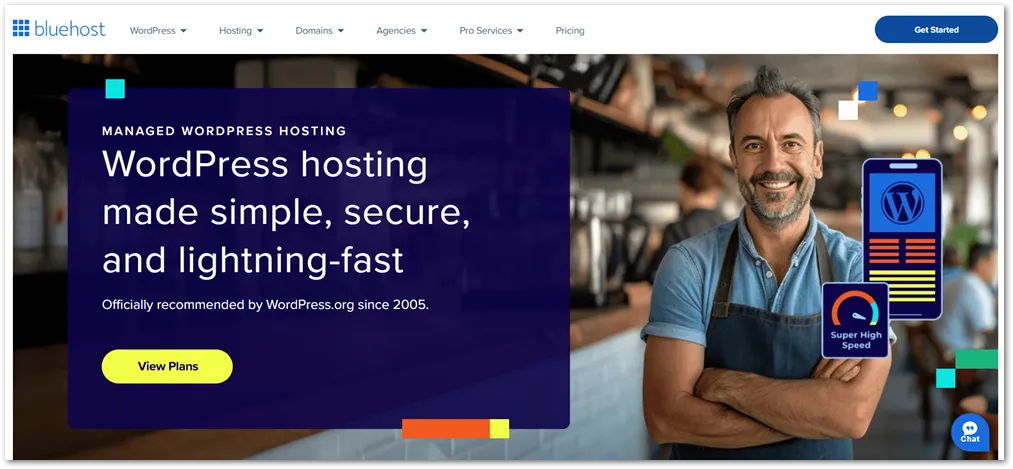
Bluehost is heavily marketed to beginners. It’s one of the most recommended hosts you’ll find on “how to start a blog” articles across the web, largely because it’s cheap to get started and WordPress officially lists it as a recommended host.
If you’ve never built a website before and you just need somewhere to put one up without spending much, Bluehost checks a few boxes on the surface.
WPX Hosting is built for people who care about what happens after the site is live. It’s a managed WordPress hosting provider, which means they handle a lot of the technical side for you – security, speed optimization, CDN – so you can focus on your content and your business. It’s not the cheapest option on the market, but it’s priced for site owners who understand that their hosting is an investment, not just a line item to minimize.

The distinction matters because it changes what you’re actually comparing.
With Bluehost, you’re often looking at shared hosting – your site sits on a server with hundreds or thousands of other sites, and resources are divided among all of them. With WPX, you’re on a faster, more isolated setup with infrastructure built specifically for WordPress performance.
If you’re brand new and you have zero budget, Bluehost might be where you start. But if your site is your business, or you want it to become one, the gap between these two hosts shows up quickly once you start getting real traffic.
Speed and Performance Compared
Speed was the number one reason I moved to WPX Hosting, and it’s still the reason I stay.
When I was on shared hosting, my pages were slow. They were not broken or unusable, just slow in that way that you notice when you actually pay attention to it.
And your visitors notice too, even if they never say anything. They just leave. Google notices as well, since page speed is a ranking factor, which means slow hosting isn’t just a user experience problem, it’s an SEO problem.
WPX Hosting is built around speed from the ground up. One of the biggest contributors to that is their free premium CDN, which is included with every plan. A CDN (Content Delivery Network) works by storing copies of your site’s files on servers around the world, so when someone visits your site, they’re loading it from a server that’s physically close to them rather than one that might be on the other side of the planet. The result is noticeably faster load times for visitors regardless of where they’re located.
Bluehost does offer CDN options, but you’re not getting a premium CDN included as standard the way WPX does it. On basic Bluehost shared plans, CDN access typically comes through Cloudflare’s free tier, which works, but it’s a different level of performance than what WPX has built and optimized specifically for their hosting environment.
WPX also uses LiteSpeed servers and SSD storage across their infrastructure, which contributes to faster response times at the server level, before a CDN even enters the picture. When you stack fast server hardware with a premium CDN, the difference in load speed compared to standard shared hosting is real and measurable.
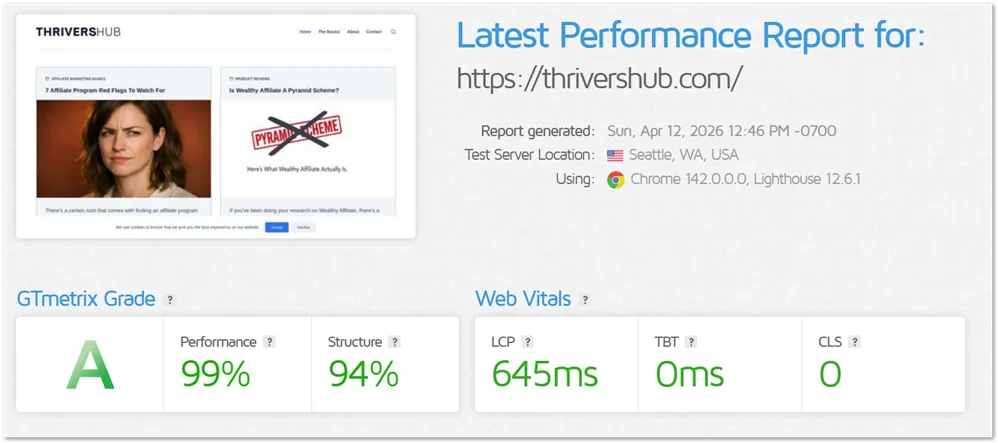
If you’ve ever run your site through a tool like Google PageSpeed Insights or GTmetrix and felt disappointed by the results, there’s a good chance your hosting is part of the problem.
Reliability and Uptime: What Happens When Your Site Actually Grows
Speed gets a lot of attention when people compare hosts, but another important aspect of hosting is reliability.
Here’s the thing about shared hosting that most beginner-friendly guides don’t tell you upfront: you’re sharing server resources with a large number of other sites. \
That works fine when everyone’s traffic is low. But when your site starts getting real visitors, the kind of growth you’re actually working toward, shared hosting can start to buckle. And with some hosts, including Bluehost, that growth can actually trigger a suspension.
That’s exactly what happened to me. My site was getting too much engagement, and instead of my host scaling to handle it, they suspended the account. My site went down. Not because of anything I did wrong but because people were showing up.
I’ve seen it happen to others too, and just last night I saw it again with that local site I mentioned. It got suspended and it was hosted on Bluehost. Whether the reason was traffic, a terms of service issue, or something else entirely, the result for the site owner is the same – visitors land on a suspension page instead of your content.
WPX Hosting operates differently. Their infrastructure is built to handle traffic spikes without treating them as violations. They offer a 99.95% uptime guarantee, and because their setup isn’t the same overcrowded shared environment, your site isn’t competing for resources with hundreds of other accounts every time someone hits your page.
That kind of stability matters more and more the longer you’re in business. A site that goes down loses sales, loses rankings, and loses trust with visitors who may not come back. Hosting isn’t just a technical decision, it’s a business continuity decision.
When my site got suspended on Bluehost, I lost time, traffic, and probably revenue I’ll never be able to measure. Moving to WPX was partly about speed, but it was just as much about never being in that position again.
Support: The Gap is Bigger Than You Think
No matter how good your hosting is, at some point you’re going to need help. Something breaks, something doesn’t load right, an email stops working – it happens to everyone. What separates hosts at that moment isn’t their marketing page. It’s who picks up when you reach out.
Bluehost has support, and to be fair, they’re a large company with a lot of resources. But large doesn’t always mean responsive. Their support structure involves phone, chat, and ticket options, and the experience can vary a lot depending on when you reach out and what your issue is.
If you’ve spent any time on hosting forums or review sites, you’ll find no shortage of people describing long wait times, being bounced between departments, or getting generic responses that don’t actually solve the problem. It’s not always this way because some people have good experiences, but it’s consistent enough to be a pattern worth knowing about.
WPX Hosting’s support is one of the things they’re most known for, and it’s earned. They offer 24/7 live chat with an average response time that regularly comes in under 30 seconds. Not 30 minutes. 30 seconds. And the people on the other end are actually equipped to fix technical problems, not just read from a script or escalate your ticket into a queue.
They also offer free hack fixes. If your site gets compromised, WPX will clean it up for you at no extra charge. That’s not something you typically get from a budget shared host. Bluehost sells SiteLock as an add-on for malware detection and removal, which means you’re paying more for protection that WPX includes as part of the deal.
For someone running a business online, support quality isn’t a nice-to-have. The longer your site is down or broken, the more it costs you. Knowing that you can get a real, fast response at any hour, not just during business hours, is worth a lot more than most people account for when they’re comparing hosting prices.
WPX Hosting vs Bluehost: How They Compare
Here’s how the two hosts stack up across the features that matter most:
| Feature | WPX Hosting | Bluehost |
|---|---|---|
| Starting Price | $17.99/mo (Starter) | ~$2.95/mo (promotional) |
| Renewal Price | Same rate – no bait and switch | Jumps significantly (often 2–3x the intro price) |
| Free Premium CDN | ✅ Included on all plans | ❌ Basic Cloudflare free tier only |
| Free Hack Fix | ✅ Included | ❌ Paid add-on (SiteLock) |
| Free Site Migrations | ✅ Unlimited free migrations | ⚠️ Limited — one free migration on some plans |
| Hosting Type | Managed WordPress (faster, isolated) | Shared hosting (entry-level plans) |
| Uptime Guarantee | 99.95% | 99.9% |
| Support Response Time | Under 30 seconds (live chat, 24/7) | Variable – can be significantly longer |
| Server Technology | LiteSpeed + SSD | Apache/standard shared infrastructure |
| Suspension Risk | Low – built for traffic growth | Higher – overselling common on shared plans |
A few things worth noting in the comparison table. Bluehost’s starting price looks attractive until you renew – that’s when the promotional rate disappears and the real price shows up. Doesn’t help that you’re actually paying on an annual term either.
WPX doesn’t play that game. What you sign up for is what you keep paying.
The free migrations are also worth highlighting if you’re already on another host. Moving a site isn’t always straightforward, and WPX handling that for you, as many times as you need, removes a real barrier for people who are ready to switch but nervous about the technical side of it.
Pricing: What You’re Really Paying For
Bluehost’s pricing is designed to look as attractive as possible at first glance. That $2.95/month figure you see advertised is real, but it comes with conditions that aren’t always obvious until you’re already in the checkout process.
First, that rate is typically locked to a long-term commitment, usually 36 months. You’re not paying $2.95 a month on a month-to-month basis. You’re paying a lump sum upfront for three years of hosting to get that rate.
If you want a shorter term, say 12 months, the monthly equivalent goes up. And if you want to pay monthly with no annual commitment at all, you’re looking at a significantly higher rate that bears little resemblance to the number in the headline.
Then there’s renewal. Once your initial term ends, the promotional pricing is gone. Bluehost’s renewal rates are substantially higher – often two to three times what you paid to get started. That’s a common practice in the budget hosting space, and Bluehost leans into it heavily. A lot of people get caught off guard by it when that first renewal invoice shows up.
WPX Hosting takes a different approach. Their pricing is higher upfront – plans start at around $14.99 per month on an annual plan, but that’s the actual price, not a teaser. There’s no dramatic jump at renewal. What you see is what you keep paying. You can also pay each month, starting at $17.99/month on the Starter Plan.
When you factor in what’s included – the premium CDN, hack fixes, unlimited migrations, and the quality of support, the gap between what you’re really paying on each platform narrows considerably.
With Bluehost, those features either don’t exist in the base plan or cost extra. With WPX, they’re just part of the package (see my full WPX Hosting review here).
Hosting is one of those areas where the cheapest option at signup rarely stays the cheapest option over time.
WPX Hosting or Bluehost: Which One Should You Choose
I want to be completely honest with you here, because not every comparison has to end with “one is obviously better for everyone.”
If you are completely new to websites, have no budget to speak of, and you’re building something just to learn the ropes then Bluehost will get you online. It’s beginner-friendly, WordPress integration is very easy, and the low entry price means you’re not risking much while you figure things out. There’s a reason so many people start there.
But if any of the following sounds like you, WPX Hosting is worth the higher price tag:
- Your site is your business
Or maybe you’re building it to become one. Whether you’re running a blog you monetize, an e-commerce store, a service business, or an affiliate site, downtime and slow load times cost you real money. Hosting isn’t the place to cut corners when revenue is involved.
- You’re already on Bluehost and something has gone wrong.
Slow speeds, a suspension, a support experience that left you frustrated, or a renewal invoice that felt like a gut punch – any of these is a signal that you’ve outgrown what budget shared hosting can offer. WPX’s free migration means switching is easier than you might think.
- You’re serious about SEO and organic traffic.
Page speed is a ranking factor. A premium CDN and fast server infrastructure give you a genuine edge over competitors sitting on slow shared hosting. That edge compounds over time.
- You want hosting you don’t have to think about.
Managed WordPress hosting means WPX handles the technical layer for you. Things like security, speed, infrastructure. Your mental energy goes toward your content and your audience instead of your server settings.
The whole point of this comparison is that Bluehost and WPX are solving different problems. Bluehost is solving the problem of getting online cheaply and WPX is solving the problem of staying online reliably, loading fast, and having real backup when something goes wrong.
If you’re at the stage where the second set of problems matters to you, you already know which direction makes sense.
What I’d Tell a Friend
If you’ve read this far, you’re probably not just casually browsing. You either already have doubts about your current hosting, or you’re trying to make the right call before you commit to something new.
Here’s what I’d tell a friend in that position: your hosting is the foundation everything else sits on. Your content, your SEO work, your marketing efforts, all of it depends on a site that loads fast and stays up. Cutting corners at the foundation level is the kind of decision that costs more to fix later than it saved upfront.
I moved to WPX Hosting because I needed hosting I could trust, and that’s exactly what I’ve had. Fast load times, support that actually responds, and no surprises at renewal time. My sites stay up, and when I’ve needed help, I’ve always had a quick response.

WPX Hosting backs every plan with a 30-day money-back guarantee, so there’s real room to try it without locking yourself in. If you want a deeper look before you decide, I’ve written a full WPX Hosting review that covers everything in more detail. If you’re ready to stop worrying about whether your hosting is holding your site back, that’s where I’d start.
Try WPX Hosting risk-free for 30 days
If your site matters to you – your income, your audience, your business – it deserves a host that treats it that way.